VisionStyle.
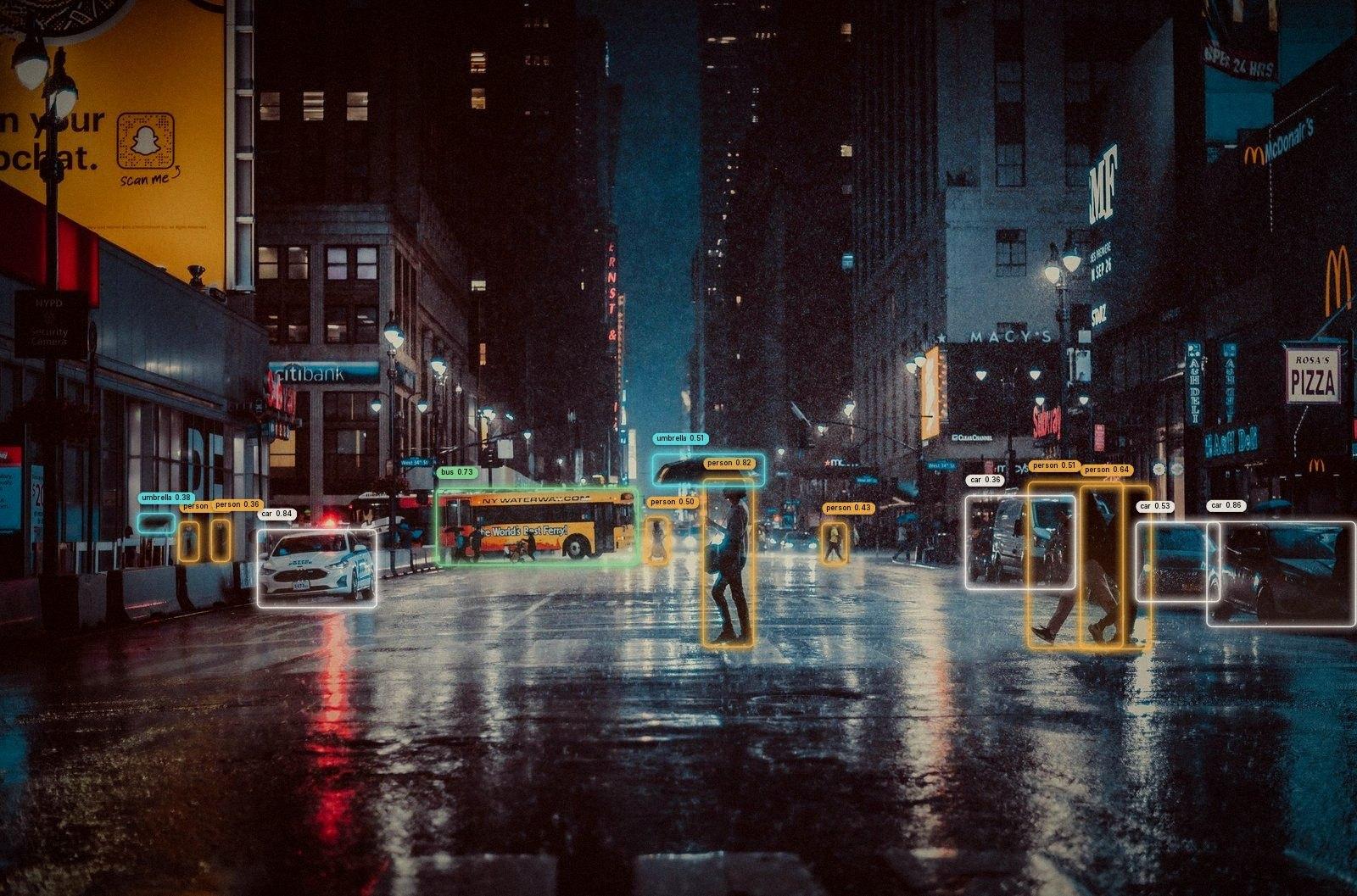
Beautiful, fully configurable bounding boxes for object detection — one Style object, 22 presets, a live Studio, and one call to render.
- Downloads / month
- 232
- GitHub stars
- 4
- Built-in presets
- 22
- Style sections
- 8
- Box shapes
- 5
- Studio video cap
- 60s
Overview
Every demo ships the same default boxes
Detection results usually get drawn with whatever the library ships: a thin rectangle and a solid tag that look the same in a research figure, a security feed and a sports broadcast. Making them look intentional means rewriting OpenCV drawing code per project.
VisionStyle turns that into configuration. One Style covers boxes, strokes, fills, line patterns, labels, effects and trails, and the whole thing round-trips to YAML.
Twenty-two presets, each a plain YAML file
Twelve general-purpose looks and ten built for a specific job. Use one by name, or export its YAML and make it yours.
- cinematic
- rounded amber/teal frames, pill labels, filmic grade
- neon
- glowing, hue-cycling gradient outlines
- hud
- double frame, reticle marks, dotted trails
- redact
- blurs the inside of each box for anonymizing
- broadcast
- player paths and number bubbles, no boxes
- cctv
- grainy grayscale frame with phosphor-green tags
Looks the same at any resolution
Sizes are in reference pixels at about 1080p and scale with the frame, so one style reads the same on a webcam and a 4K photo. On top of that, outlines and tags scale with each object's size, so distant objects stay light and close-up ones get heavier strokes.
Design visually, render the exact same thing in code
visionstyle studio opens a local web app: pick a scene or upload your own image or video, run detection once, then tune every setting while scrubbing the timeline. The Python package renders every preview, so what you see is exactly what annotate() produces.
Saved looks become named presets you load anywhere with vs.Style.preset("my-look"), and the Export panel hands over the YAML, a Python snippet, or a prompt for AI coding tools.
How it works
VisionStyle only draws. Any detector produces boxes; a single Style object describes the look; an Annotator renders frames and carries state across a video so trails and animations stay continuous.
- Detections
boxes from any model — lists, NumPy, tensors or Ultralytics
- Style
one typed object: box, stroke, fill, line, label, effects, trail
- Annotator
renders stills or video, one per stream
Install & use
$ pip install "visionstyle[yolo]"
$ pip install "visionstyle[studio,yolo]"$ visionstyle studio # http://127.0.0.1:8420
$ visionstyle render photo.jpg -s neon --model yolo26n.pt -o out.jpg$ visionstyle render clip.mp4 -s tracking --model yolo26n.pt --track -o out.mp4$ visionstyle gallery photo.jpg --model yolo26n.pt -o gallery.png # every preset at once$ visionstyle presets export cinematic -o my-look.yaml
Commands
- render
- Annotate an image, a video or a webcam stream with a preset
- gallery
- Render every preset on one scene, side by side
- presets
- List, show or export the built-in presets
- studio
- Open the visual style editor on localhost
- schema
- Export the Style JSON schema for editors and tooling
Built with
- NumPy + OpenCVthe renderer itself
- Pillowanti-aliased labels and fonts
- Pydantic v2typed, validated Style model
- PyYAMLpresets round-trip to YAML
- Ultralytics YOLO26optional detector + tracking
- FastAPI + Uvicornthe Studio web app
Screenshots
Details
- Status
- Active — v0.1.1
- Started
- Sep 2026
- Domain
- Computer Vision / Developer Tools
- License
- MIT
- Python
- 3.10 – 3.13
- Package
- PyPI
- Detectors
- Any — YOLO helpers built in
- Surfaces
- Python API · CLI · Studio